How to use the Politics Mentions tool
The Politics Mentions tool tracks how often specific words and phrases appear in weekly political prediction markets—like the popular "What will Trump say this week?" series on Kalshi.
For each tracked term, you can see the historical hit rate across past markets and the current YES/NO pricing, helping you find markets where the odds may not reflect the historical data.
How to access the tool
Access the Politics Mentions tool by clicking Politics Mentions on the sidebar (desktop) or in the horizontally scrolling menu at the top of your screen (mobile).
Here are some examples of markets we track:
- Trump Weekly Mentions – "What will Trump say this week?"
- Trump Monthly Mentions – "What will Trump say this month?"
- Fed Conference Mentions – "What will Kevin Warsh say at his next press conference?"
- Bernie Fighting Oligarchy Tour Mentions – "What will Bernie Sanders say during the Fighting Oligarchy Tour?"
- Zohran Mamdani Mentions – "What will Mamdani say during the next announcements and press conference?"
- White House Press Briefing Mentions – "What will be said during the next White House Press Briefing?"
Note that some markets may not always be active—if a market series has ended or hasn't started yet, it may not appear in the tool.
Understanding the data
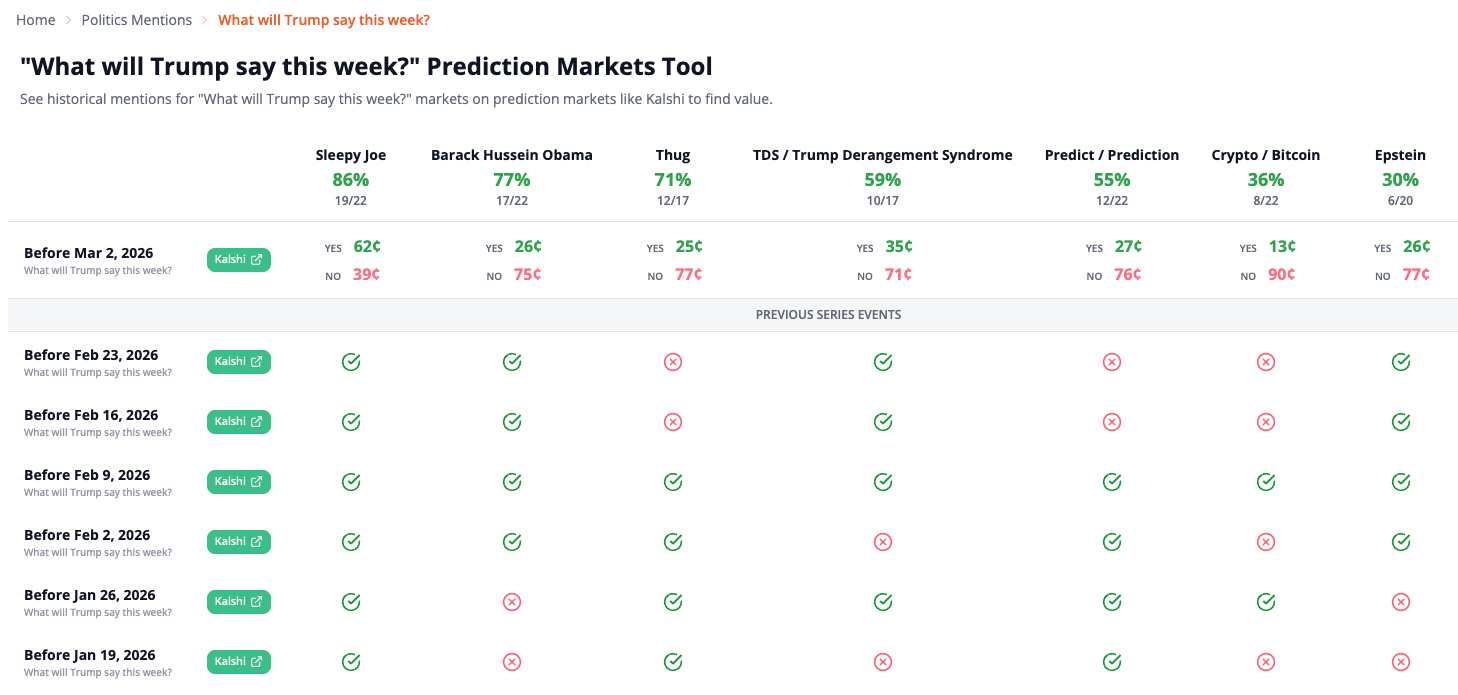
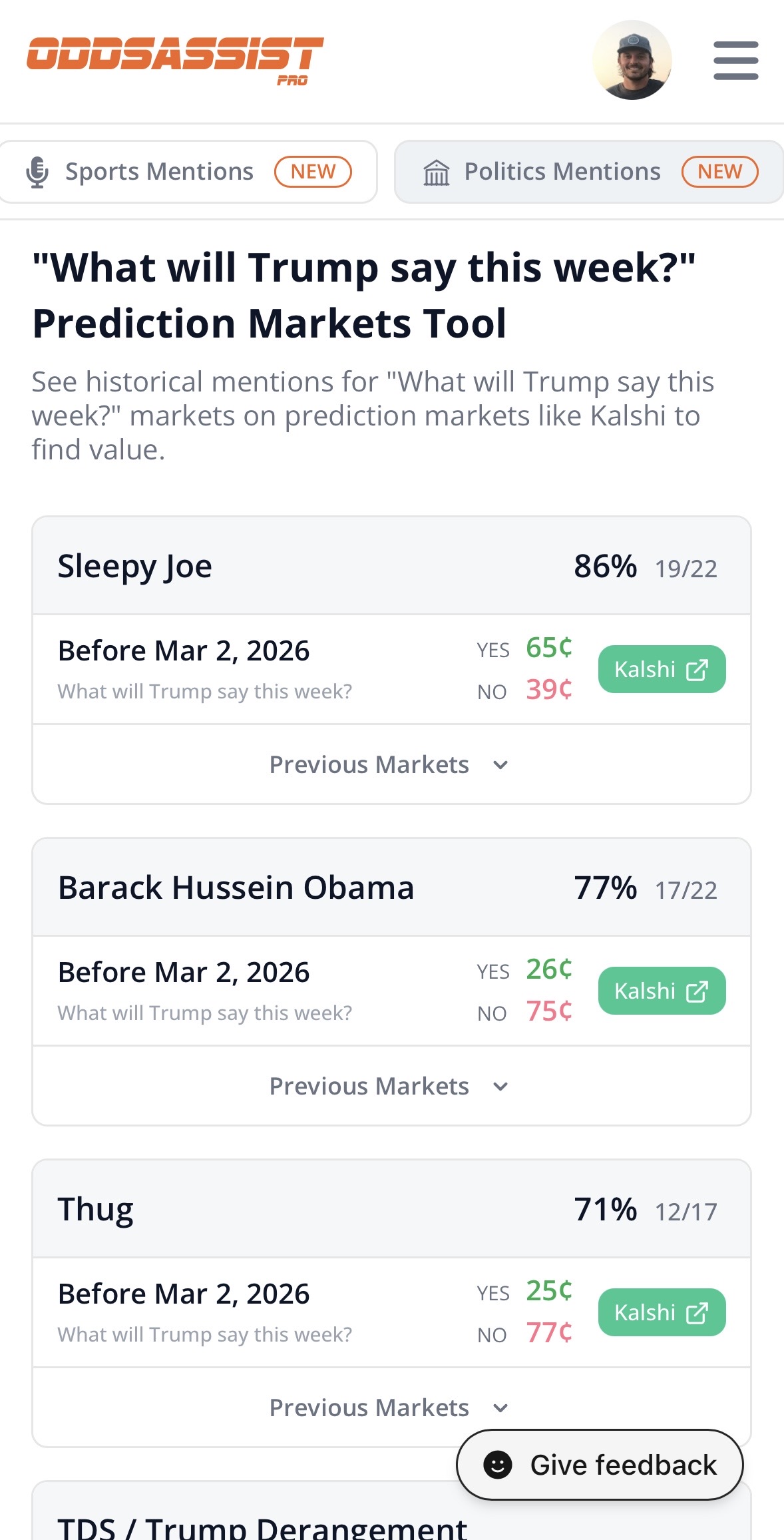
Each column represents a tracked term. Here's what each piece of data means:
- Term – The specific word or phrase being tracked (e.g., "Sleepy Joe", "Thug", "Crypto / Bitcoin")
- Hit rate percentage – How often Trump has mentioned that term across all tracked markets (e.g., 86% means it came up in 86% of past weekly markets)
- Fraction – The raw count behind the percentage (e.g., 19/22 means mentioned in 19 out of 22 past markets)
- YES/NO prices – Current prediction market prices in cents for the upcoming market
- Kalshi button – Click to open that specific market on Kalshi and place a prediction
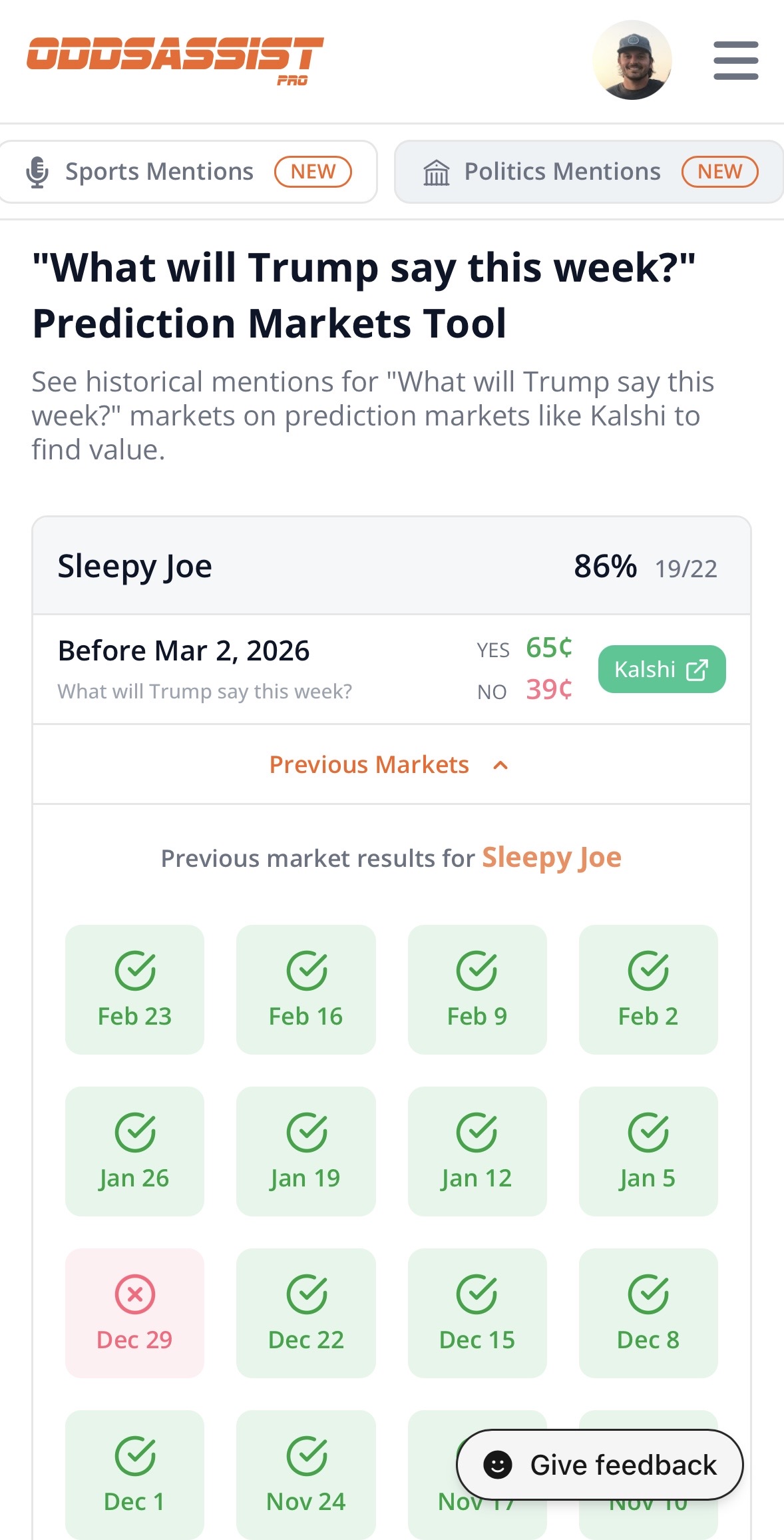
- Previous markets – Historical results showing which weeks the term was mentioned (green checkmark) or not (red X)
Mobile view
On mobile, each term appears as its own card. You can tap Previous Markets to expand the card and see the full week-by-week history for that term.
How to use the data
Look for terms where the historical hit rate doesn't match the current market pricing:
- High hit rate, low YES price – If a term has been mentioned 80%+ of the time but YES is priced under 70¢, that could be an underpriced opportunity
- Low hit rate, high YES price – If a term has only hit 30% of the time but YES is priced at 60¢, the market may be overpriced
- Recent streaks – Check the week-by-week history. A term on a long streak of hits or misses may signal a shift in Trump's current talking points
- Context matters – Consider current events. A term tied to a hot news topic is more likely to be mentioned that week
Tips for success
- Focus on terms with large sample sizes—the more past markets tracked, the more reliable the hit rate
- Green checkmarks mean the term was mentioned that week; red X means it wasn't
- Cross-reference with recent news and Trump's speeches or social media posts to get a sense of what's on his mind that week
- Combine the historical rate with current events for the strongest predictions
Available Markets
- Trump Mentions
- Trump Weekly Mentions
- Trump Monthly Mentions
- Trump Nickname Mentions
- Trump Company Mentions
- Trump Country Mentions
- White House Press Briefing Mentions
- Fed Conference Mentions
- AOC Mentions
- JD Vance Mentions
- Pete Hegseth Mentions
- Scott Bessent Mentions
- Benjamin Netanyahu Mentions
- Mark Carney Mentions
- Rachel Maddow Show Mentions
- Jen Psaki Show Mentions
- The Last Word Mentions
- Bernie Fighting Oligarchy Tour Mentions
- Kathy Hochul Mentions
- Zohran Mamdani Mentions