How to update or cancel your Prediction Markets Pro subscription
You can update or cancel your Prediction Markets Pro subscription at any time in Settings → Manage Paid Account on Odds Assist Pro.
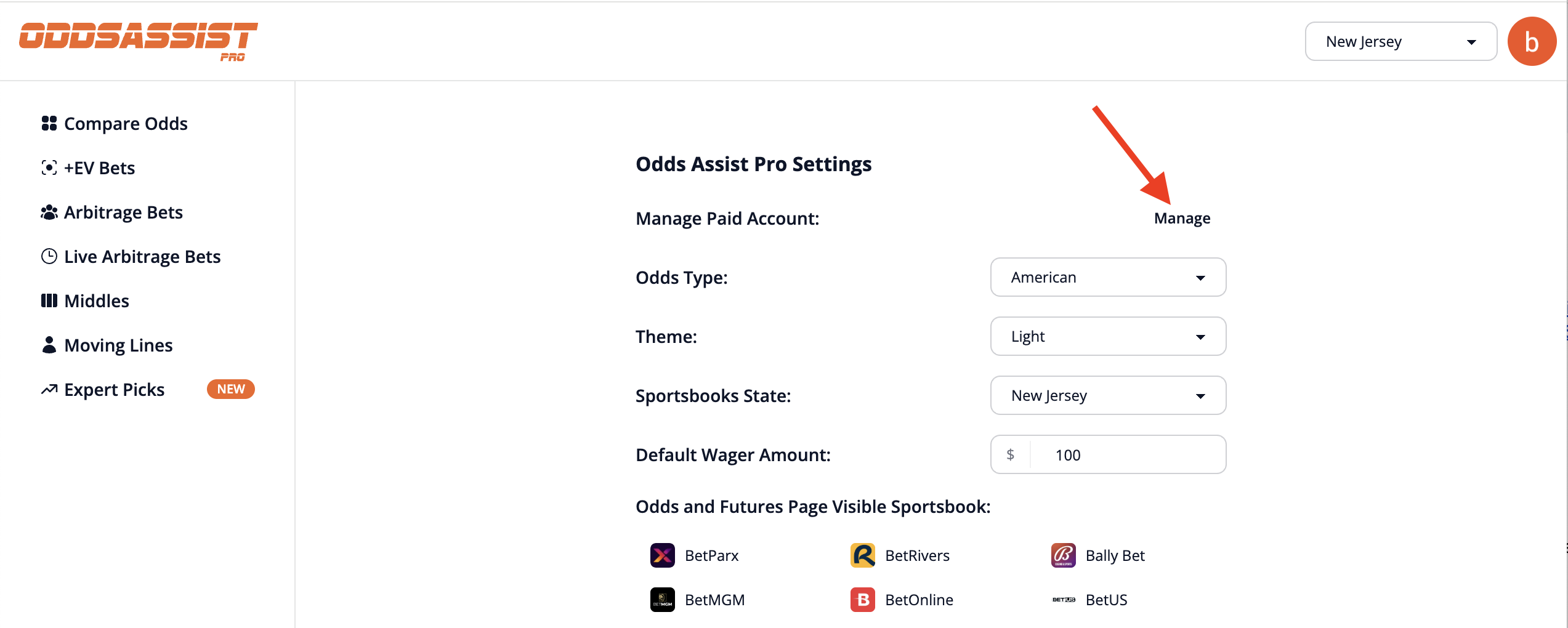
The Manage button takes you to Stripe, where you can change your subscription plan or cancel your subscription.
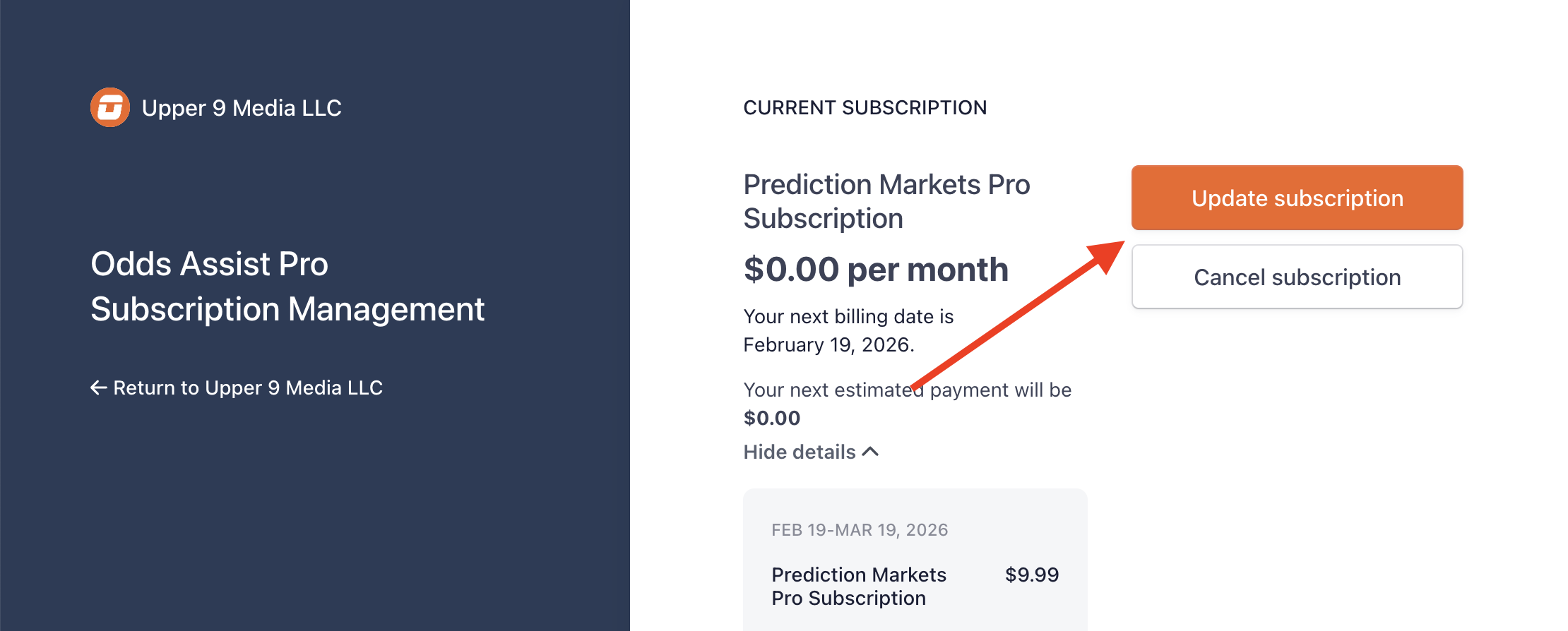
How to cancel your subscription
- Go to Settings → Manage Paid Account
- Click the Manage button next to your Prediction Markets Pro subscription
- In the Stripe portal, click Cancel plan
- Confirm your cancellation
If you cancel your subscription, you will have access to all Prediction Markets Pro features until the billing period ends. For example, if you subscribe on January 15th and cancel on January 20th, you will have access until February 15th.
How to update your subscription
In the Stripe portal, you can:
- Update your payment method
- View your billing history
- Download invoices
What happens when you cancel
After cancellation:
- You'll retain full access until the end of your billing period
- Your subscription will not auto-renew
- You can resubscribe at any time to regain access
- Your historical preferences and settings will be saved if you return
If you have any issues canceling or updating your subscription, please contact us at support@oddsassist.com and we'll help you right away.