How to use the Prediction Market Arbitrage Scanner
The Prediction Market Arbitrage Scanner finds arbitrage opportunities exclusively between prediction markets, like Kalshi, Polymarket, ProphetX, Novig, and OG. It's completely free to use.
If you're new to arbitrage, here's the quick version: an arb exists when you can buy both sides of the same market on different platforms for less than $1 combined.
Since one side is guaranteed to pay out $1 per contract, you lock in a profit no matter who wins. For example, if you can buy Dayton at 58¢ on Kalshi and Valparaiso at 40¢ on Polymarket, you're paying 98¢ for a guaranteed $1.
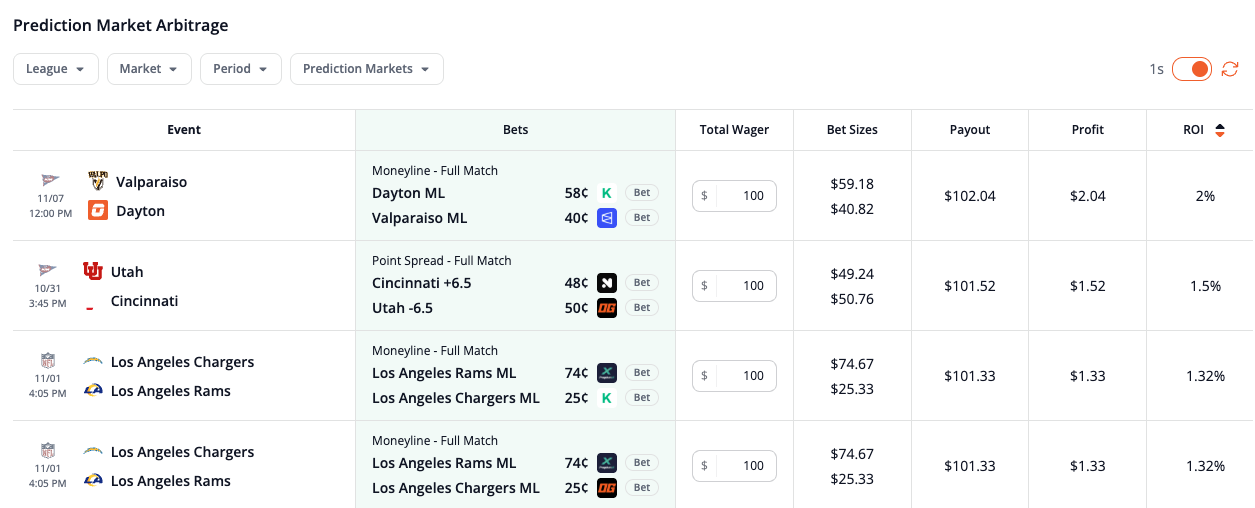
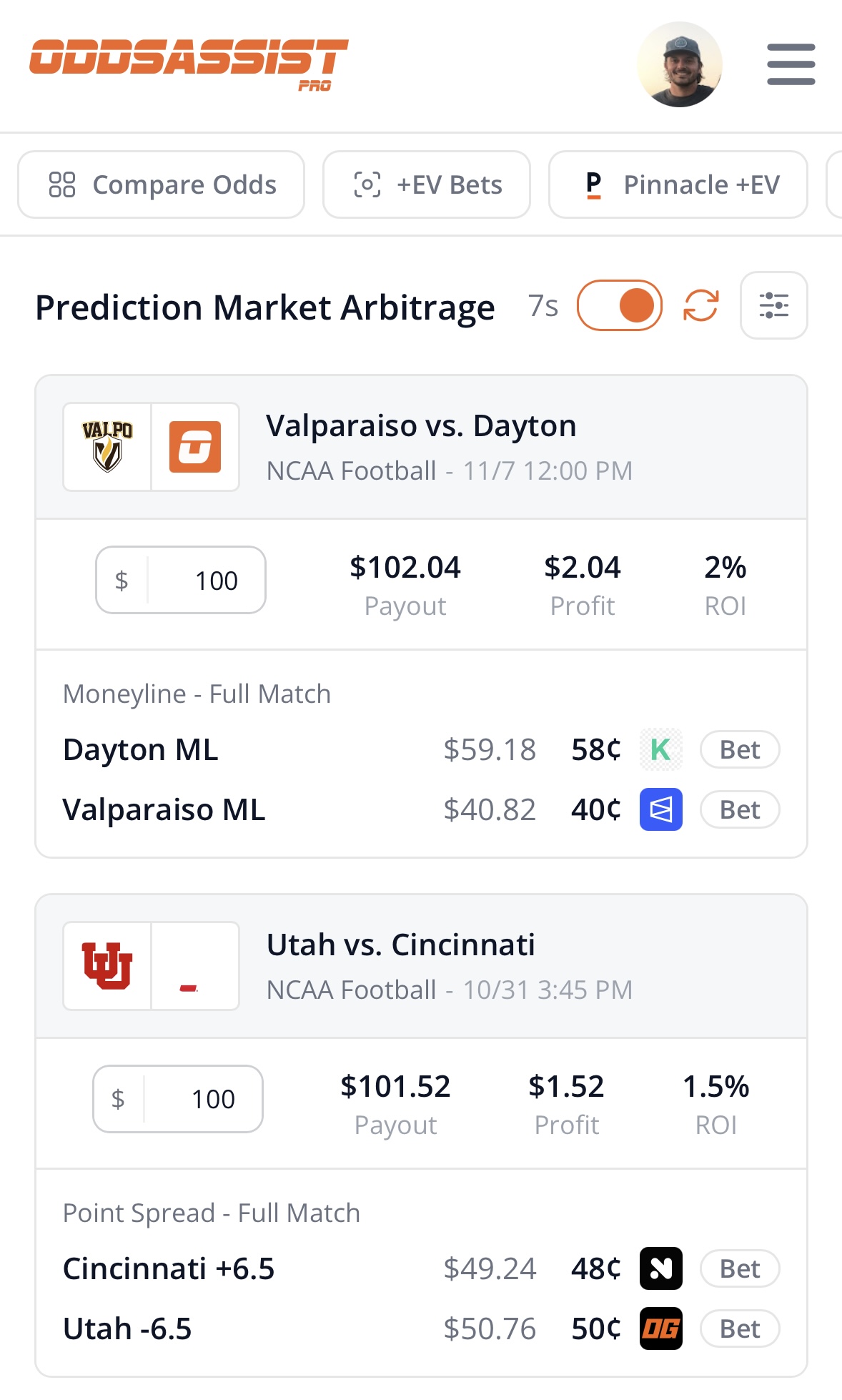
Each row (or card on mobile) is one arbitrage opportunity. Here's how to read it:
1) Event
The league, teams, and start time of the event. On mobile, this is the header of each card.
2) Bets
The market (like Moneyline - Full Match or Point Spread - Full Match), the two sides you need to buy, the price of each side in cents, and which prediction market to buy it on.
In the first example above, you would buy:
- Dayton ML at 58¢ on Kalshi
- Valparaiso ML at 40¢ on Polymarket
Click the Bet button next to either side to open that market on the platform.
3) Total wager & bet sizes
Enter how much you want to spend across both sides in the Total Wager box. The Bet Sizes column updates to show how much to spend on each side so you get the same payout either way.
Using the example above, a $100 total wager means spending $59.18 on Dayton and $40.82 on Valparaiso.
Before you buy, make sure the prices on the platform still match what you see on the scanner. If they've moved, add the two prices together. As long as the total is under 100¢, the arb is still there (before fees).
4) Payout, profit & ROI
These show what you get back no matter which side wins, your profit, and your profit as a percentage of your total wager (ROI).
In the example, $100 returns $102.04 for a $2.04 profit, or a 2% ROI. Click the ROI column header to sort by ROI.
5) Filters
On desktop, the filters are above the table. On mobile, tap the filter icon next to the page title. You can filter by:
- League – Only show arbs for specific leagues.
- Market – Choose which market types (moneyline, spread, total, etc.) to include.
- Period – Choose a specific game period (full match, first half, etc.).
- Prediction Markets – Only include the platforms you have accounts on, so you don't waste time on arbs you can't place.
6) Automatic refresh
When this toggle is on (the default), the scanner refreshes automatically every 30 seconds, and the timer next to it counts down to the next update. You can also click the refresh icon to update right away. Automatic refresh requires a free account.
Don't forget about fees
The payout, profit, and ROI on the scanner don't include platform fees. Most prediction markets charge a trading fee on some or all markets, and on a thin arb, fees can eat most or all of your profit.
Before you place an arb, check what each side will cost after fees with our Kalshi fee calculator, Polymarket fee calculator, OG fee calculator, or the rest of our prediction market calculators.
Note: Without an account, you can see the first three arbs. Create a free account to see every opportunity.
>> Related Tool: Sports Betting Arbitrage Finder